

With a vast range of switches available for any given application, making sure that you select the right switch for your project is massively important. But beyond the type of switch and the way it looks, the technical specifications are just as crucial. For example, the specific application that you require switches for will determine how many poles and throws they should have.
What are Poles and Throws?
The key purpose of a switch is to be able to turn on and off to control the flow of current through a circuit. But in addition to this, many switches can control how the circuit works or can activate different features within it. These functionalities are defined by the poles and throws of a switch, as they decide how a switch connects a circuit. Poles and throws can also help to classify switches.
Poles
Poles (P) refer to the number of independent circuits that each switch or relay can control. The more poles a switch has, the more circuits it can control; so one double-pole switch is like having two separate switches that are operated by the same button/actuator.
Throws
Throws (T) indicate how many different output connections that each switch can make, or how many positions a given pole can attain. Most commonly, switches have either single-throw or double-throw configurations.
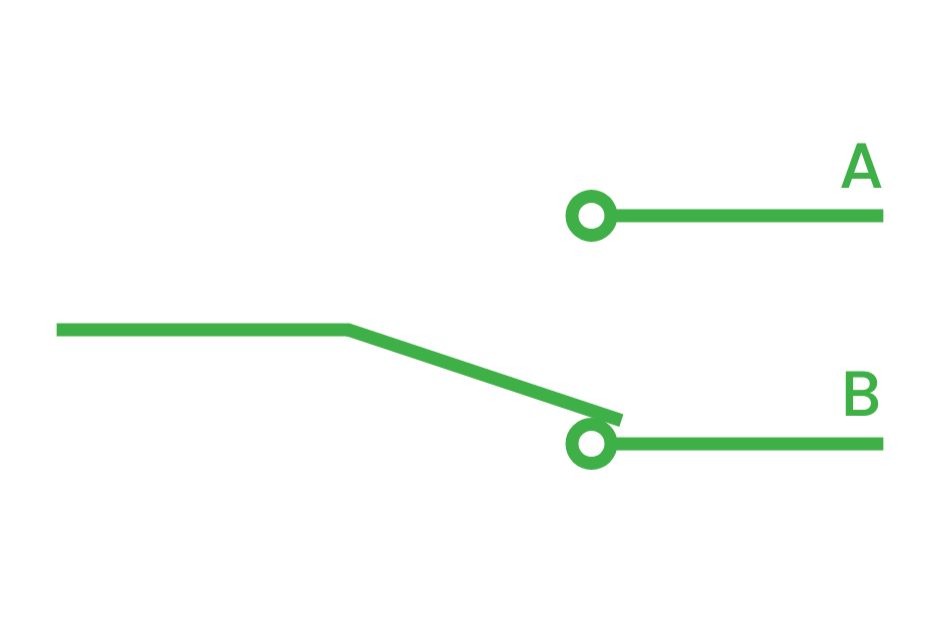
A switch with a single throw can only connect or disconnect one circuit, and so acts as a simple on/off switch. Whereas a switch with a double throw can connect an input terminal to one of two output terminals (A and B). This means that actuating the switch moves the connection between these two terminals, so that current can flow through terminal A or B. But when one terminal is connected, the other disconnects.
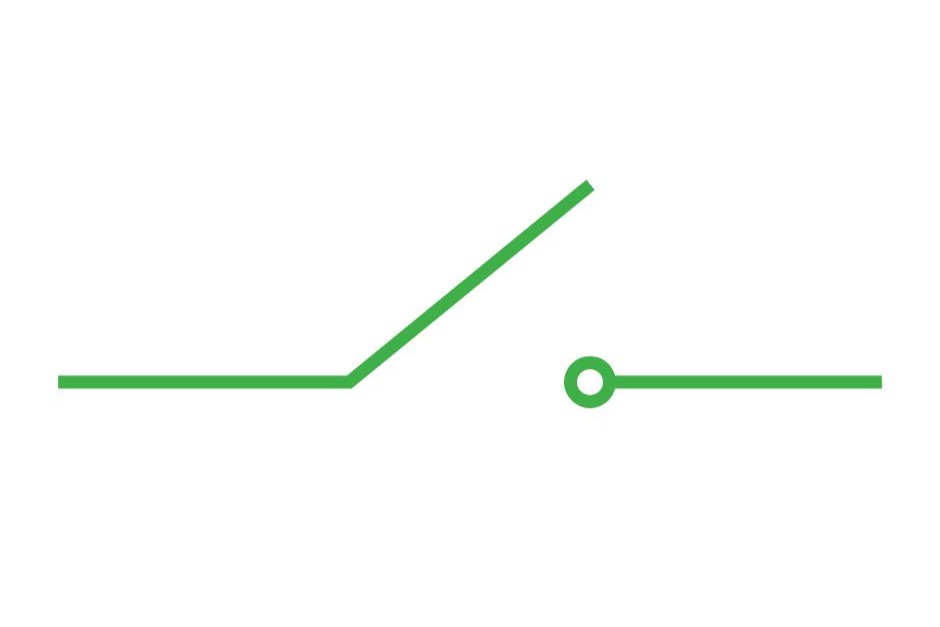
Single Pole, Single Throw (SPST)
SPST is the most basic form that a switch can take, with a simple on/off function. When a user pushes the button or moves the actuator, the contacts inside the switch close, which closes the circuit and allows the current to flow. Then, when the actuator is released (if it is momentary) or pressed again (if it is latching), the contacts separate and the circuit breaks.
Some common applications of SPST switches include:
- Light Switches – many light switches have a latching SPST function, as a standard lightbulb can only be on or off, so it only requires a single pole and a single throw to make it work.
- Doorbells – momentary SPST switches are commonly used for doorbells and buzzers, as the circuit can remain open until the button is pressed. This then temporarily closes the circuit and allows the bell to ring.
- Security Systems – SPST switches can also be used in normally closed (NC) circuits like security systems, so that if someone tries to tamper with a security device, the circuit will break and an alarm will sound.
Single Pole, Double Throw (SPDT)
SPDT switches have two output terminals (or throws), so rather than being on/off, these switches have an ‘on/on’ configuration. This means that one circuit is always complete, and actuating the switch moves the input between the two, but only one circuit can be completed at any given time. The exception to this is three-position SPDT switches, which can have an on/off/on configuration.
Switches with SPDT configuration are commonly used in audio visual equipment and applications, as they allow the user to select between two different signals, effects, lighting options, etc.
Double Pole, Single Throw (DPST)
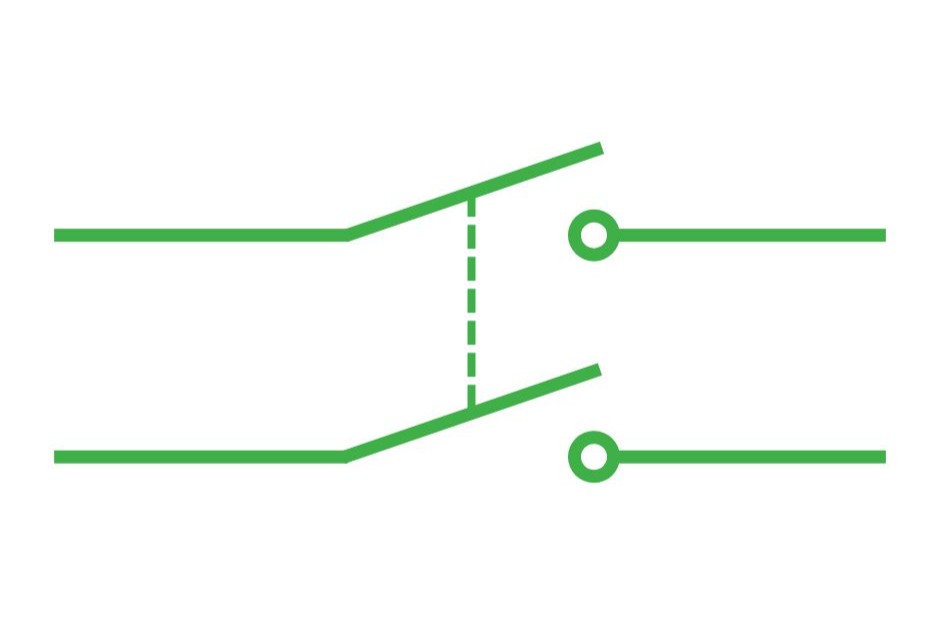
DPST switches also have an on/off function, but with two input terminals that each have a corresponding output terminal. This means that two independent circuits can be controlled with a single switch.
Each pair of terminals (one input, one output) can only interact with each other, as they are electrically isolated from the other pair, but the contacts (poles) move simultaneously. So when the switch is actuated, both circuits will close at the same time. Essentially, a DPST switch is like having two SPST switches within one unit.
DPST switches are often found in industrial environments and control panels, as they allow operators to control multiple power circuits at once. They can also be used in automated systems such as status indicators and thermostats, to open or close circuits when a change is detected.
Double Pole, Double Throw (DPDT)
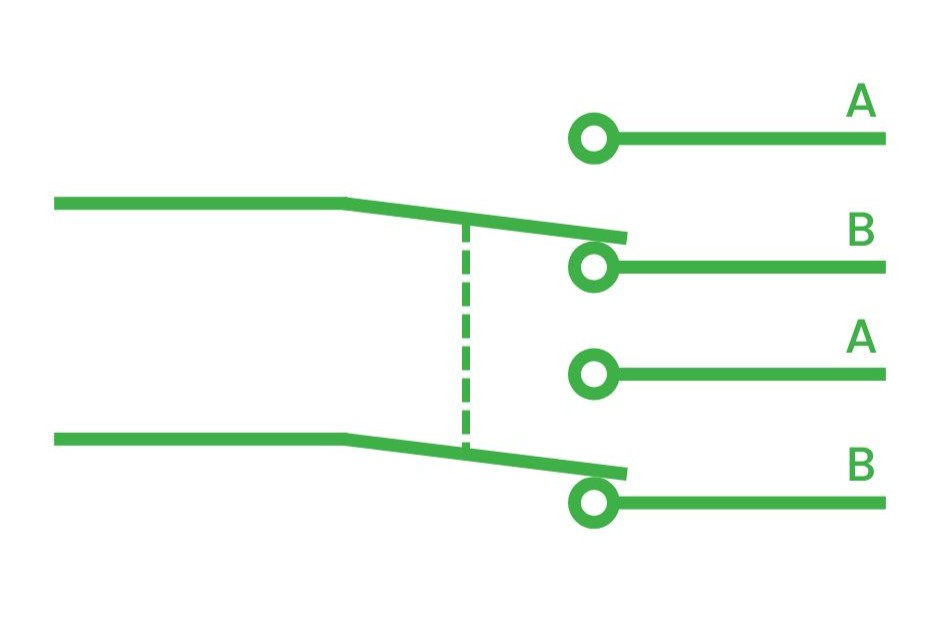
DPDT switches have six terminals (2 input and 4 output), and are functionally the same as having two SPDT switches within one unit. Each of the four output terminals are isolated from each other electrically, but the two input terminals always move at the same time. This means that when the switch is activated, both contacts move from one output (A & A) to the other (B & B), to change where the current flows. Similarly to the SPDT, these are ‘on/on’ switches.
Some examples of where you might use DPDT switches include:
- Telecom Systems – DPDT switches allow telecom operators to switch between different communication channels and modes, or to route signals.
- Robotics – DPDT switches are commonly used in robotics, as they can be used to control motor direction, and can activate/de-activate different sensors and functions within the robot.
In Summary
There are many other configurations that switches can have, with numerous poles and throws, dependent on the desired function. But the four we have covered above are the types that you are most likely to encounter. By understanding critical technical features such as these, we hope that it is easier to design circuits and to find the right switches for you.
At RJS Electronics we offer an extensive array of SPST, SPDT, DPST, DPDT switches and more, so speak to our Sales Engineers today to find out more.
Interested in our products? Speak to us today!
How to place an order?
We operate Monday – Thursday (8 am – 5 pm) and Fridays (8 am – 4.30 pm)
Call us on +44 (0) 1234 213600 to speak to our Sales Engineers or e-mail us
on [email protected] alternatively, leave us a message using our online contact form.
View our full product range here | Download our recent product catalogue
Switch on.
Sign up to our mailing list for the latest news, product notification and so much more!
Just one click away…